
Introduction
The Gibbon Messenger allows you to send out messages, in bulk, to a range of targets, in one or more of the following three delivery modes:
- Message Wall
- SMS
Getting Started
- Go to Other > Messenger in the main menu at the top of the page.
- Use the Add button to start composing a message.
- Select the delivery mode(s) that best suit your needs:
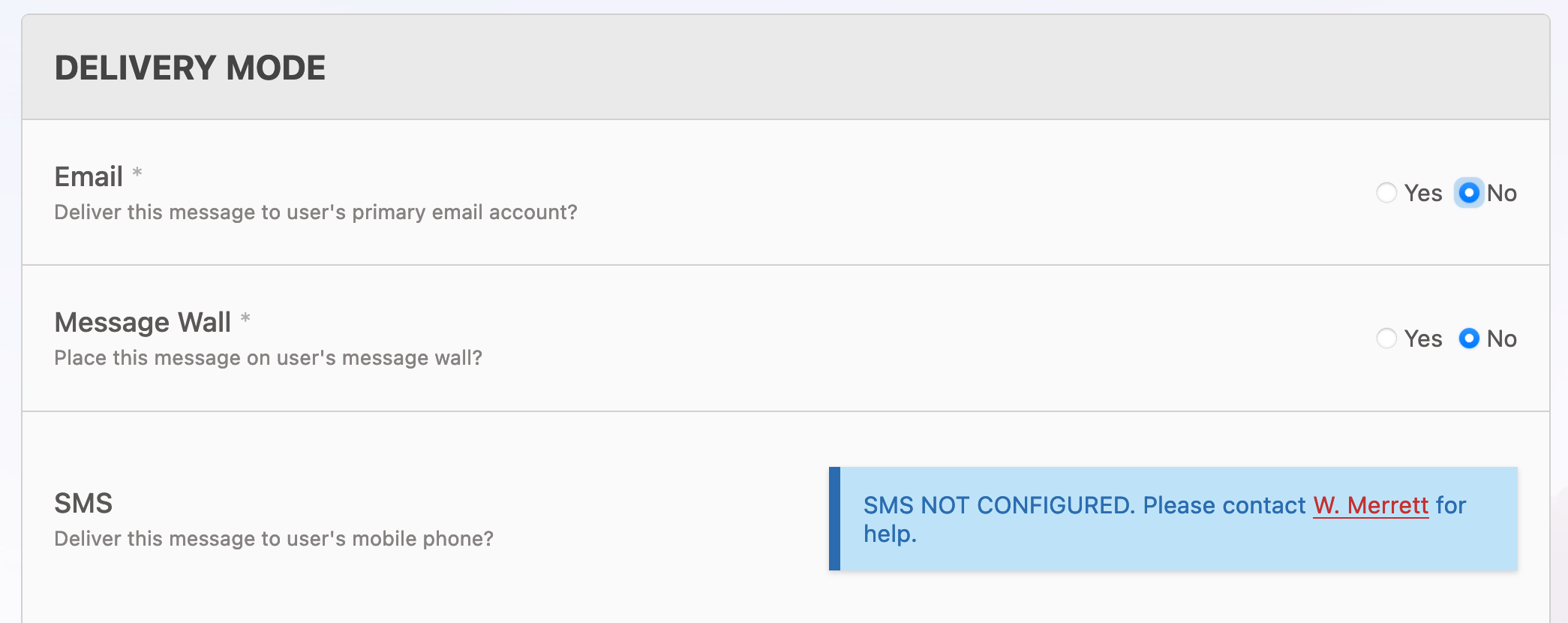
- Enter a subject and message body.
- Choose recipients in the Targets section (see below).
Targets
When properly configured, Gibbon knows a lot about your school, making it possible to send messages out to numerous different targets. In the example below, a message is being sent to all students, staff and parents associated in Years 7-9 ICT. 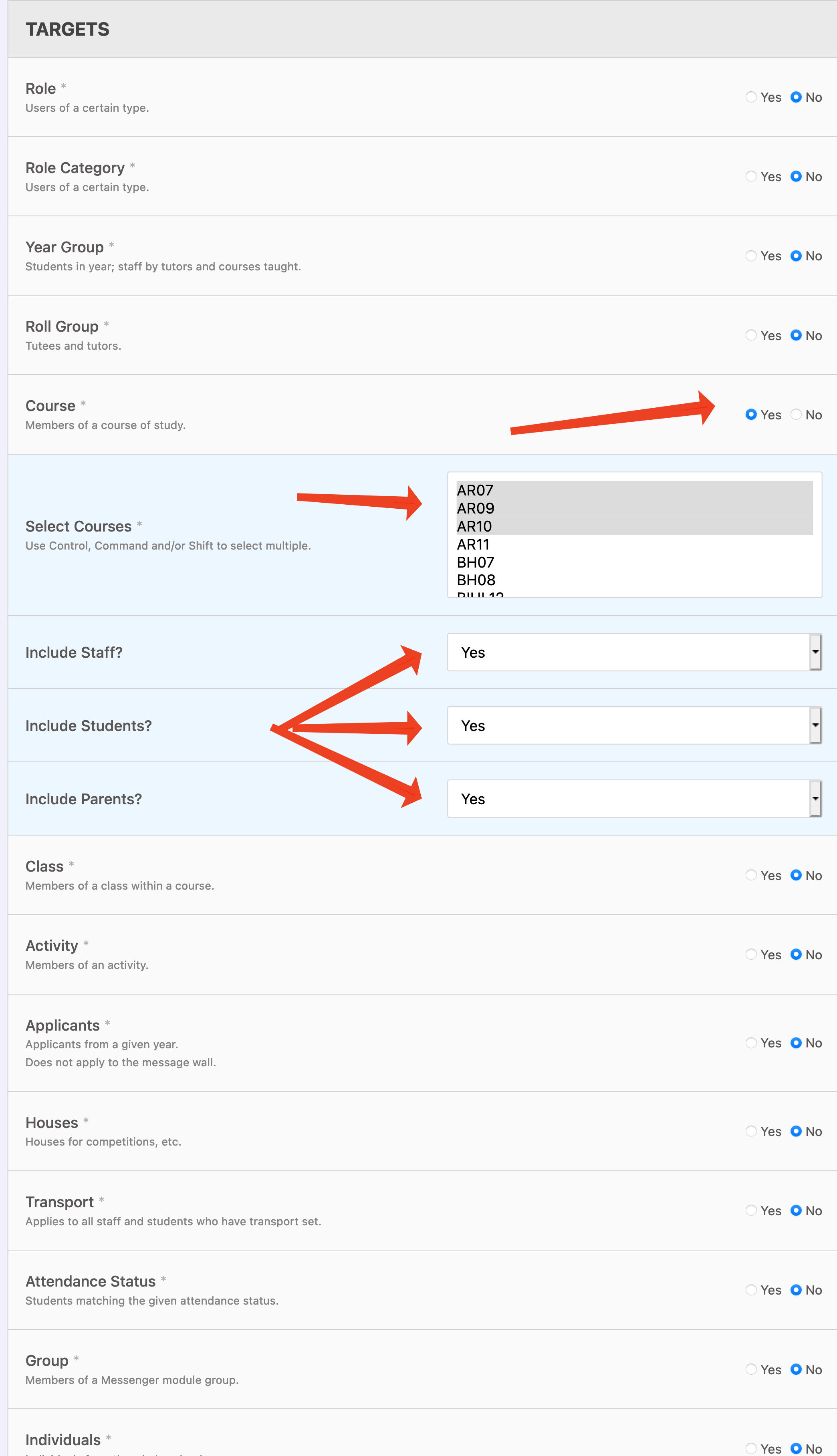 It is always worth double checking your messages before sending, as you are potentially sending the same message our many times over.
Read Receipts
As of v13 (due for release January 20th 2017), Gibbon supports read receipts for messenger emails. Click here to learn more.